
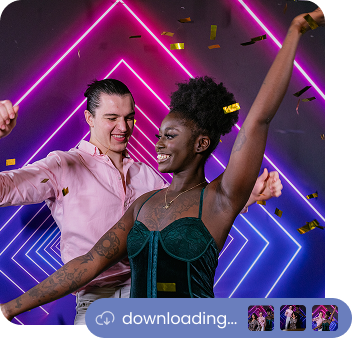
Keep the Line Moving and Your Guests Happy
Guests snap their photo quickly at the Capture Station, then move to a Share Station where they can take their time to enter their phone number or email address. The line keeps flowing, everyone gets their turn fast, and nobody feels rushed.
One App, 3 Modes
Our iOS app can run on iPhone, iPad and Mac. Any of these can be a Capture Station. iPad and Mac can be a Share Station.
Run as many Capture Stations and Share Stations as you want, all for a single event! Since sharing & printing usually takes the most time you’ll usually want more Share Stations than Capture Stations.
Share Stations are especially useful for 360 spinner booth setups, because guests are not going to be able to enter their email address on a tiny iPhone screen.
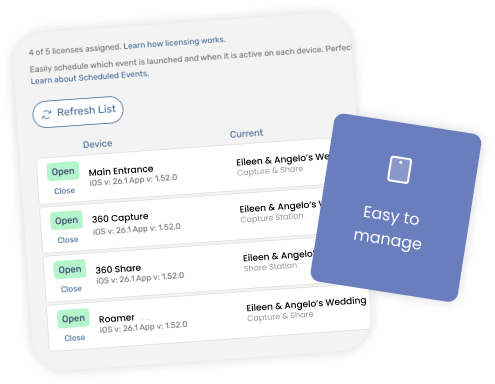
One kind of license
For us, an iPad is an iPad: it doesn’t matter if you make an iPad a Capture Station, a Share Station, or regular All-in-one mode. They all use the same license.
How do photos and videos get to the Share Station?
Photos and videos automatically appear at the top of the Share Station’s view as soon as they’re uploaded by the Capture Station. In practice they show up before the guests walk over and arrive at the Share Station, so the guests’ photos are already waiting at the top of the screen when they get there.
Is internet access required?
Yes, setups with Share Station require all devices to have internet access.
Can I have multiple Share Stations or Capture Stations at the same event?
Yes! You can have any mix of Capture Stations, Share Stations, and regular All-in-one iPads, iPhones, and Macs, all running one event.
The only limitation: iPhone cannot run Share Station.
Can I customize the Share Station?
Yes, you can add content at the top of the Share Station screen, change the background color, configure which parts of the view show, and more!
You can also customize all the text that’s shown in the app, and change the background images used on each screen. Our app is highly customizable.
Booth.Events is perfect for:
Brand Activation
Turn your brand experience into shareable moments that amplify your reach.
Corporate
Transform networking events into memorable experiences your team will (actually) enjoy.
Wedding
Capture the laughs, hugs, and happy tears on the most important day of your life.
Graduation
Honour their achievement with professional photos or capture a cap-toss with a boomerang.
Quinceañera / XV
Create excitement with a fun photo booth at this once-in-a-lifetime celebration.
Fundraiser
Boost engagement at the event while creating shareable moments for your cause.
Tournament
Photo booths create perfect memories for teams and individual competitors.
Birthday
Make their special day even more memorable with fun features everyone will love.
Dinner / Gala
Guests are already dressed to impress making a photo booth the perfect touch.
Festival / Fair
Turn casual attendees into engaged participants with a photo booth experience.
Marathon / Race
Celebrate finishers and create shareable, branded victory moments at the finish line.
I love this software.
Our guests were beyond amazed last night for this event. Lots of asks for the same experience in other markets.

Kyle Montes-Valdivia
MVP Photo Booth
Join Our Facebook Group
Join the thousands and stay up to date with the latest updates, tip & tricks from industry experts, and share your business.